Case study · Desktop application
InterForge
A desktop tool that turns a text prompt into a game-ready asset — a 2D sprite, a 2.5D relief, or a full 3D mesh. Entirely on your own GPU. No cloud, no API keys, no per-generation cost.
Prompt goes in. SDXL renders the concept art, the background is stripped, and then you choose what comes out: a flat textured sprite, a depth-reconstructed relief that reads as solid from the front, or full geometry you can orbit all the way around. Everything is remeshed, UV-unwrapped, given a full LOD ladder and exported as GLB, FBX or OBJ. The whole pipeline runs locally on an 8 GB card.
Most tools pick one of those three and make you live with it. Choosing per asset is the point — a background prop does not need the triangles a hero character does.
- Tauri 2
- Rust
- React
- Three.js
- FastAPI
- PyTorch
- CUDA
- SDXL
- Stable Fast 3D
One concept, two modes
The same generated character down two branches of the pipeline.
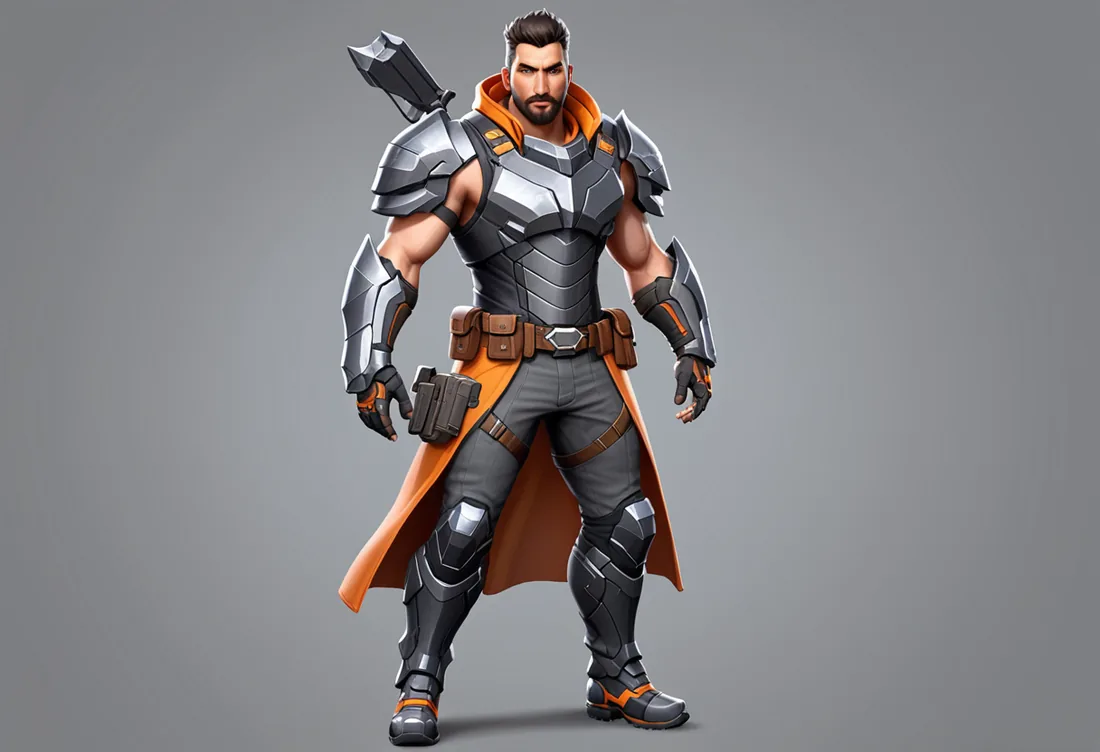
2.5D Relief
Depth reconstructed from a single image. Shown face-on, which is how a relief is meant to be seen.

3D Full geometry
Complete reconstruction — geometry all the way around. Drag to orbit, scroll to zoom.


The application
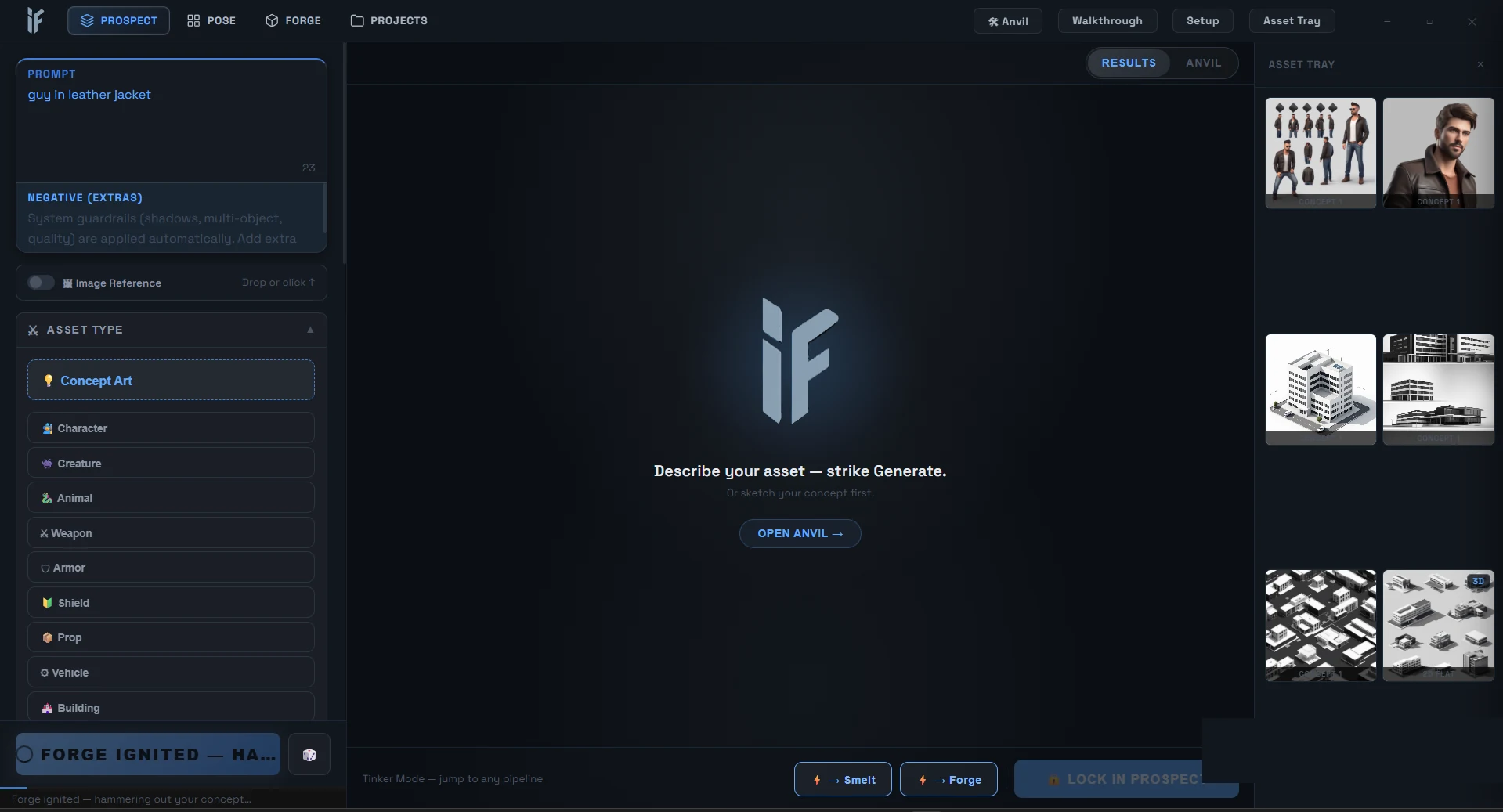
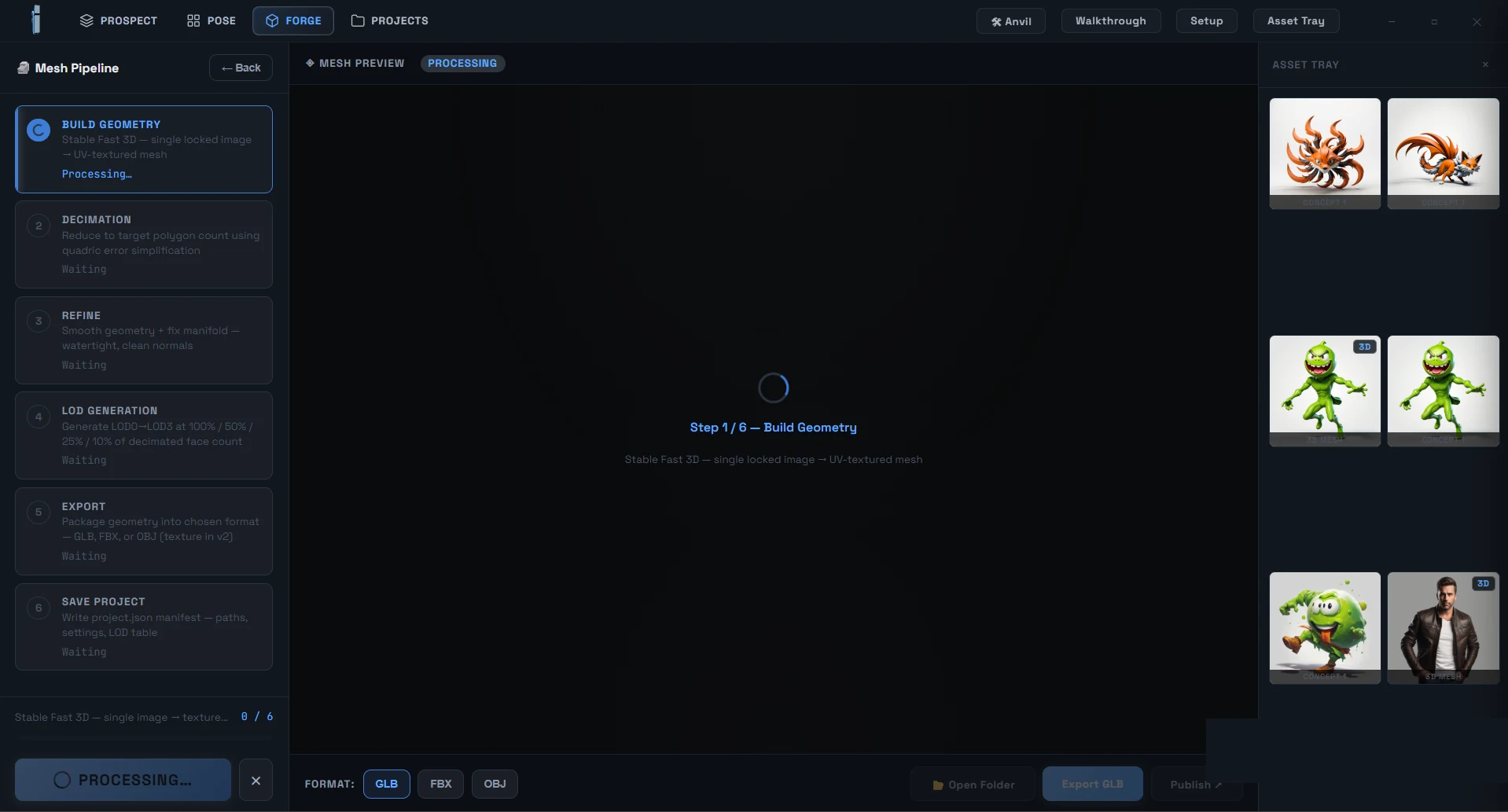
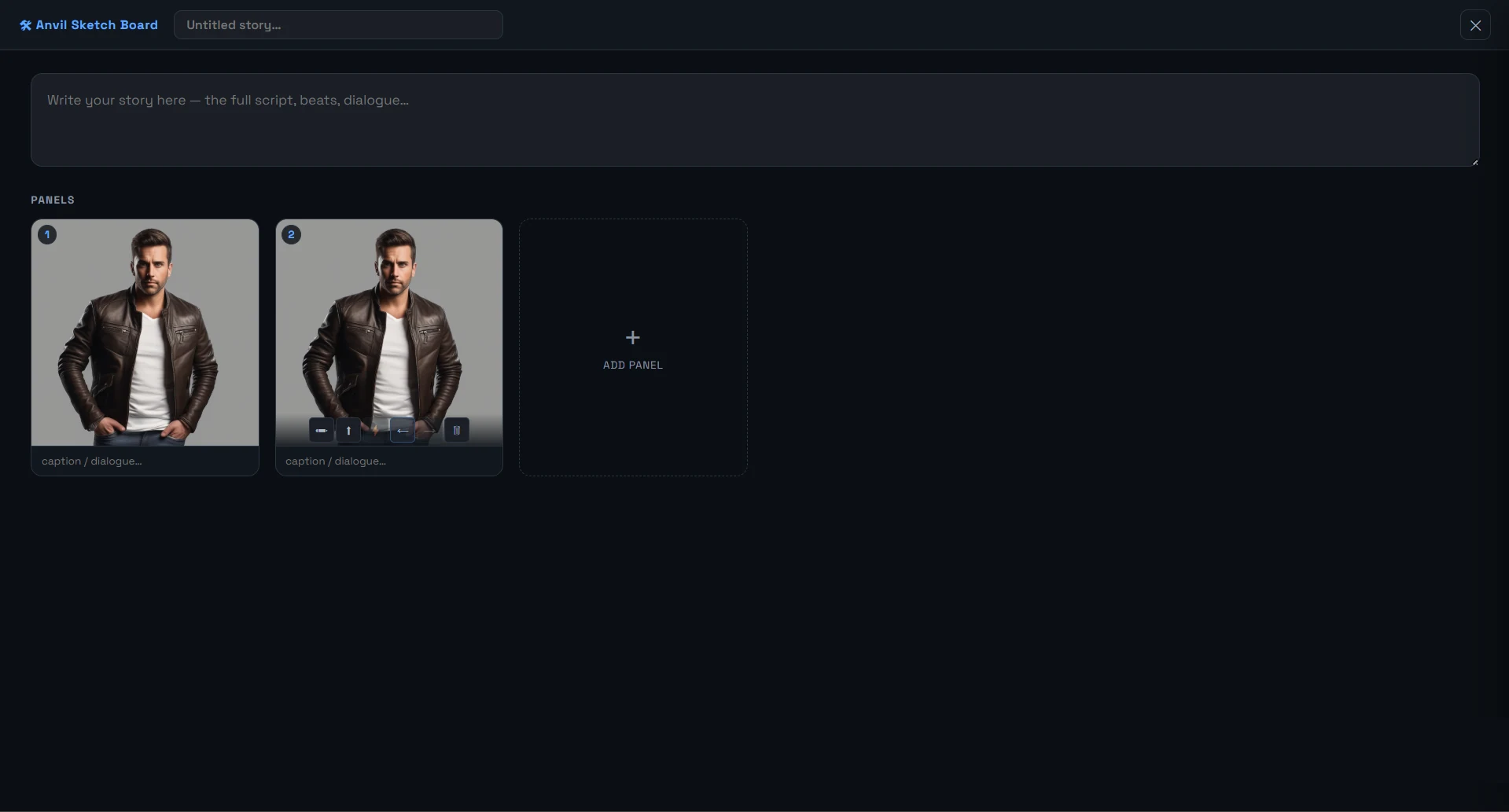
A native desktop app, not a web wrapper. Four stages across the top — Prospect, Pose, Forge, Projects — with an asset tray that carries work between them.
How it works
- Prospect — SDXL generates concept art from your prompt, with LoRAs for style and asset-type conditioning.
- Smelt — background removal and contour cleanup, isolating the subject.
- Forge — Stable Fast 3D turns one locked image into a UV-textured mesh.
- Decimate & refine — quadric error simplification down to a target polygon count, then smoothing and manifold repair for clean normals.
- LOD generation — LOD0 through LOD3 at 100/50/25/10% of the decimated face count.
- Export — GLB, FBX or OBJ, plus a project manifest with paths, settings and the LOD table.
The LOD table is the part that matters if you actually ship games. Most generators hand you one dense mesh and leave the optimisation to you; this produces the whole ladder, so an asset is usable in an engine the moment it lands rather than after an afternoon in Blender.
Running locally is the rest of it. Cloud generators charge per generation and hold your pipeline hostage; this runs on hardware you already own, which matters when you are iterating on one character forty times.